


Stop losing track of daily tasks
Temperature checks, opening procedures, closing checklists. Create recurring tasks and get notified when they're due. Team marks them complete. You see what's done and what's still pending. No more hoping someone remembered to clean the fryer.


















Track operational tasks in one place


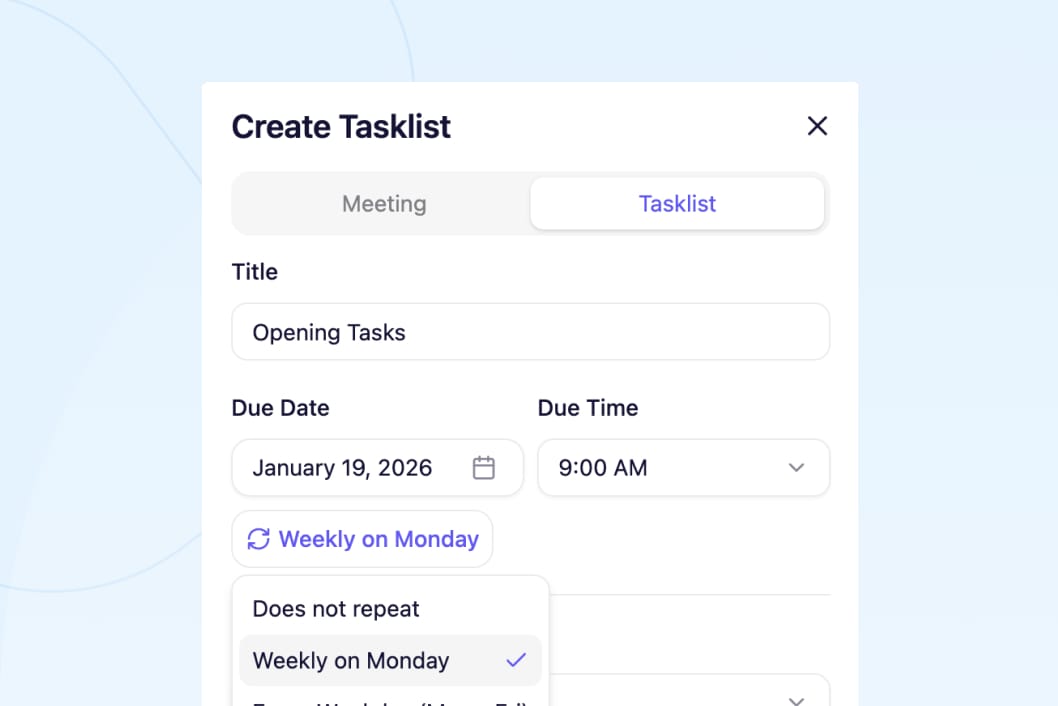
Create recurring tasks. Temperature checks every Wednesday. Clean fryers every Sunday. Opening checklist daily. Set it once, repeats automatically.
Team gets notified when tasks are due. Push notification reminds them. They mark complete when done. You see completion status instantly.
Add notes and details. Opening checklist steps in notes section. Temperature check requirements. Closing procedure details. Everything documented.
Track completion across all locations. See which stores completed tasks and which didn't. Follow up with managers who missed critical procedures.
How it works
Set once, repeats automatically
Create temperature check task for every Wednesday. Clean fryers every Sunday. Opening checklist every weekday. Set recurrence pattern once. Task appears on schedule automatically. Team gets notified when due. No manual reminders needed.
Start your free trial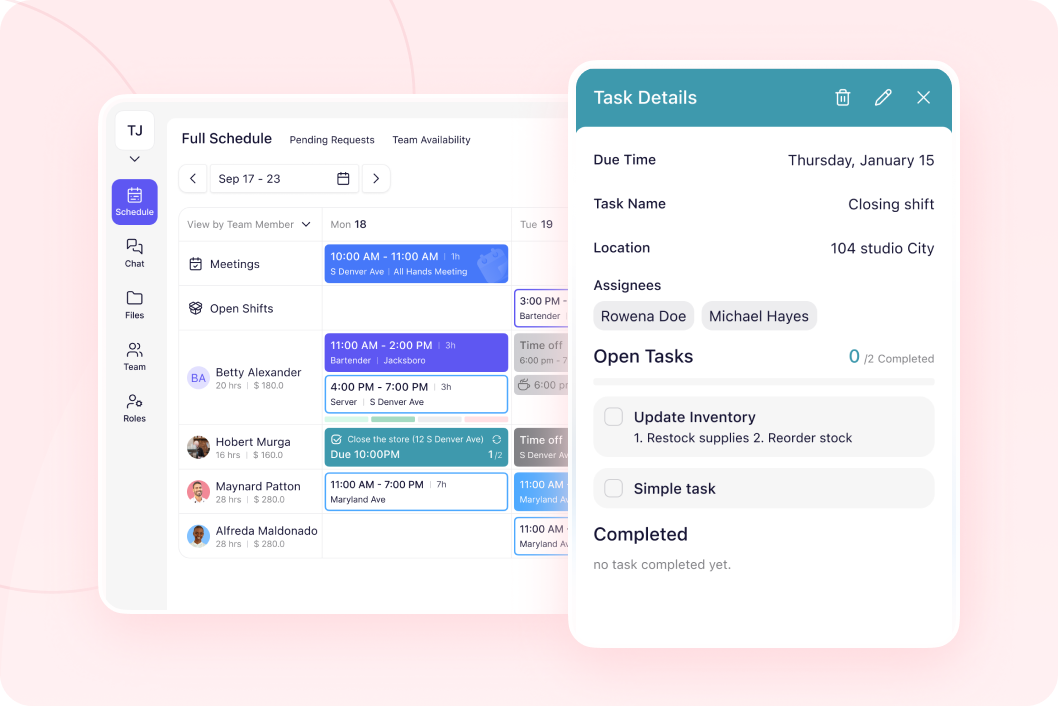
Team gets reminded automatically
Task appears on their schedule when due. Push notification reminds them. They see task details and notes. Mark complete when finished. You see real-time completion status. No more asking "did you do the temp check?"
Start your free trial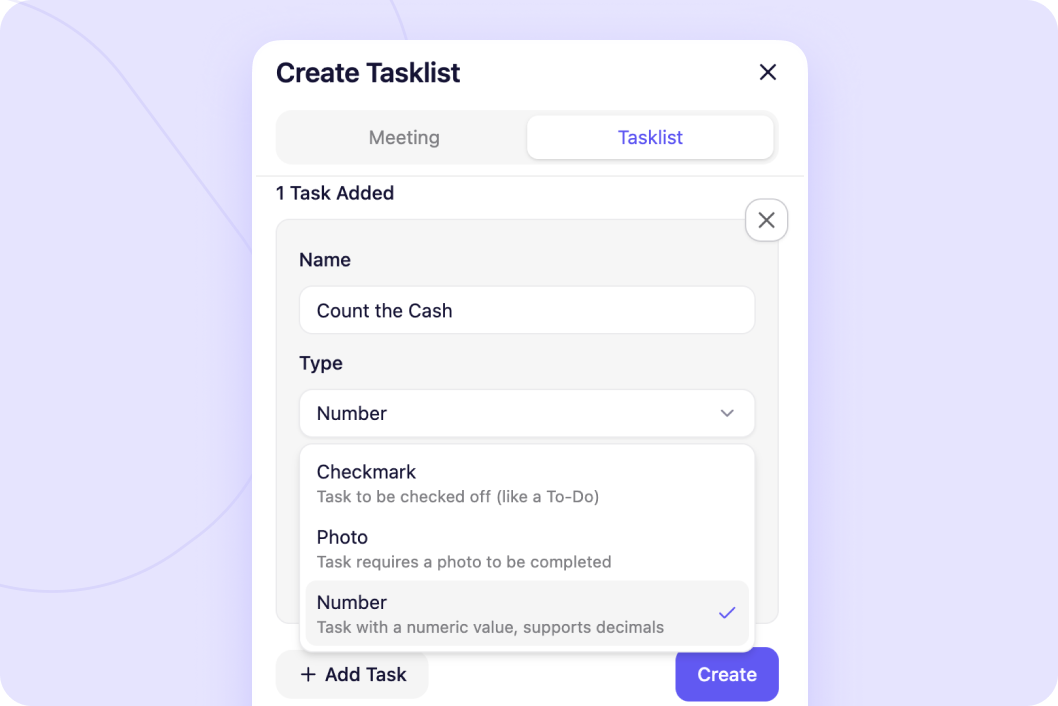
Document procedures in task notes
Add opening checklist steps in notes. Temperature check requirements. Closing procedure details. Equipment cleaning instructions. Team references notes when completing task. Everyone follows same procedure.
Start your free trial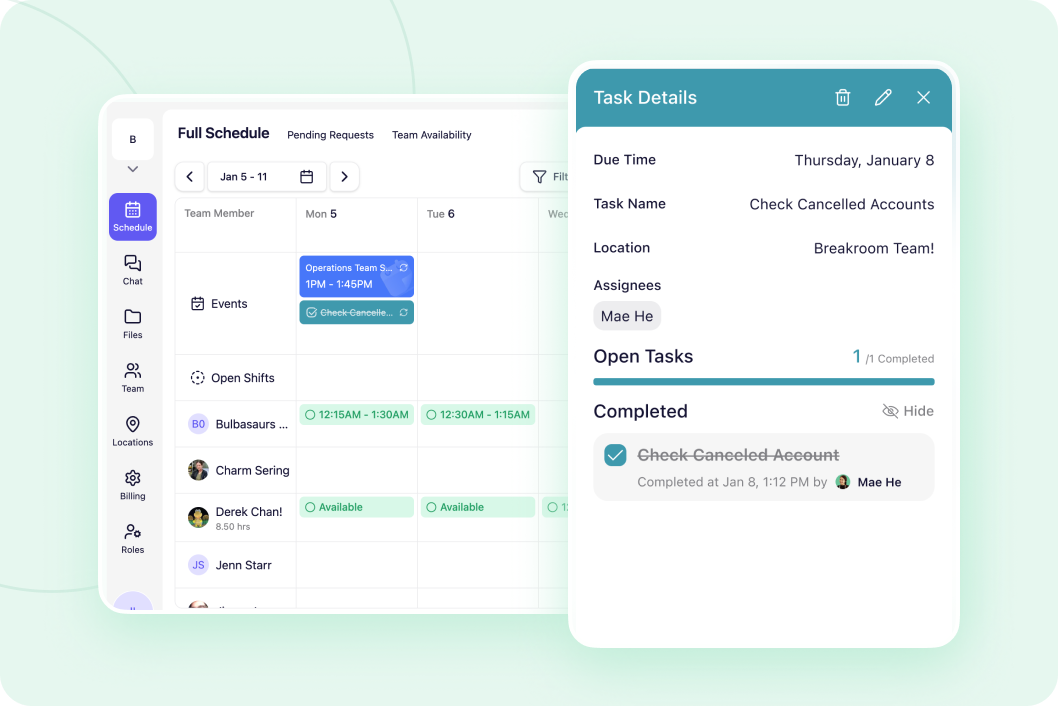
See what's done across all locations
Enterprise dashboard shows task completion per location. See which stores completed temperature checks. Which locations missed opening procedures. Follow up with specific managers. Ensure compliance across all stores.
Start your free trial




"One of our Rhode Island general managers found Breakroom, and they've been using it for our Rhode Island locations, and they love it. So our vice president just asked me to look into it to possibly convert the whole company."
Vicki Zufanti
Wendy's & Tropical Smoothie
"One of my managers was doing some research and they came across Breakroom and some of them have started using it, where they took it upon themselves to buy it and start using it and they're like, oh, we really like it. It's very similar to Crew."
Dennis Blanco
"I think Breakroom will work well for us. We've looked at a lot of different systems. I need it to be pretty simple, and I can't have them walk through 10 different steps. I need to be, like, quick, and they'll do it."
Benjie Kushins

Common tasks teams track
Set recurring temperature check tasks. Every Wednesday or daily. Team gets notified and marks complete.
Opening checklist appears every morning. Team completes steps. You verify it's done.
Closing tasks assigned to closing manager. Cash count, equipment shutdown, lock up. Track completion.
Clean fryers every Sunday. Deep clean equipment monthly. Set recurring reminders and track completion.
Position-specific daily checklists. Director checklist, instructor checklist, manager checklist. Everyone knows their tasks.
Food safety procedures, health department requirements. Document completion for audits and compliance.
Run your entire operation
Message your team without sharing phone numbers. See who read important updates.
Build and share schedules in minutes. Everyone sees their shifts instantly.
Send important updates that don't get buried in group chat noise.
Give managers control of their location. Enterprise dashboard shows all locations.
Why operators choose Breakroom
Email / Text Messages:
- ❌ Task lists and assignments get lost
- ❌ Unable to see when tasks are completed
- ❌ Search through old texts to find to-do list
- ❌ Deadlines and assignees become unclear
- ✅ Create and find task lists in calendar view
- ✅ Set clear assignees and deadlines
- ✅ Save recurring task lists
- ✅ See live updates as tasks are being completed
Got questions?
Task lists show up as an event in the Schedules calendar view. Click into the event to view additional details such as task notes.
Team members who are assigned a task list will receive a notification. They'll also see assigned tasks and deadlines when they view their shift schedule.
As team members are marking tasks as complete, the progress will be automatically updated (ex. 3 of 5 tasks completed). Managers can also choose the type of task confirmation they'd like (ex. checkmark, upload a picture, enter a number).
Yes, you can set recurring task lists when you're first creating the task. Schedule a daily recurring closing shift task list or monthly deep cleaning/inventory check reminders!


No credit card required